TechniqueLayers
The room in a 3×3 grid with four furniture layers. Very light, ideal for large facades.
- Day and night
- Compatible with Interior Cubemap System in Unreal
- Works in Eevee and Cycles

Q-Maps Creator is a Blender add-on for making window interiors. You furnish a room, press Generate and get the material ready for Blender and for Unreal Engine, as layers or 3D volume, by day and by night.
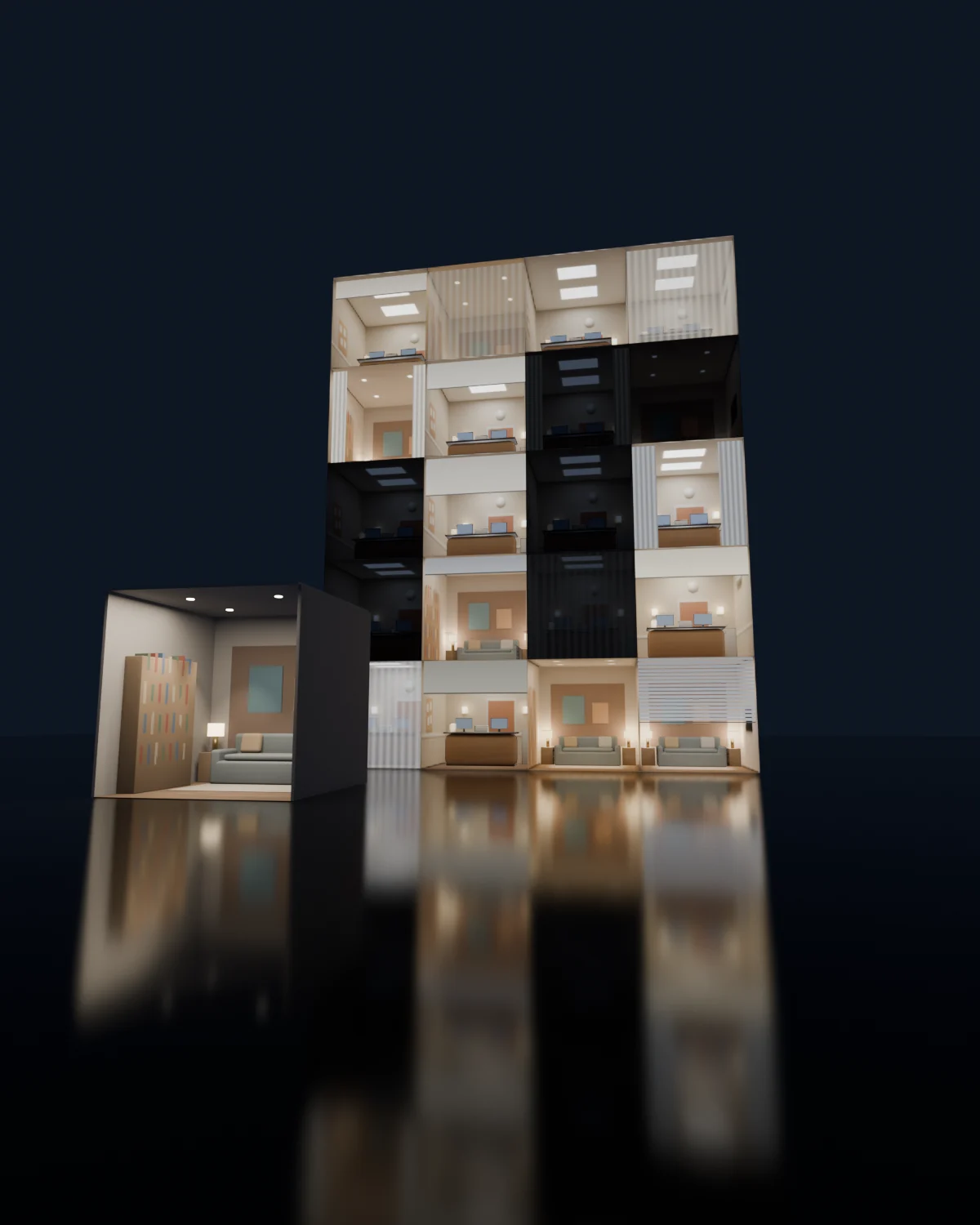 Real render · Blender
All the work happens in Blender. What comes out are textures and materials you use in Blender itself or take to Unreal Engine.
What a Q-Map is: a fake room that appears behind the glass with depth, without modeling the building's interiors. A single facade looks lived-in, with different lights, curtains and furniture in every window.
One click creates the box, the window, the collections, the night lights and the guides. Or start from an example.
Bring your furniture and send it to its place with one button. Lamps turn on by themselves at night.
Before generating, it warns you about what will go wrong and selects the objects for you.
Layers, Volume or both, at the quality you choose. Your scene stays as it was.
Apply the material in Blender or export the folder for Unreal.
The room in a 3×3 grid with four furniture layers. Very light, ideal for large facades.
The furniture has real depth: it shifts as the camera moves, like in a real room.
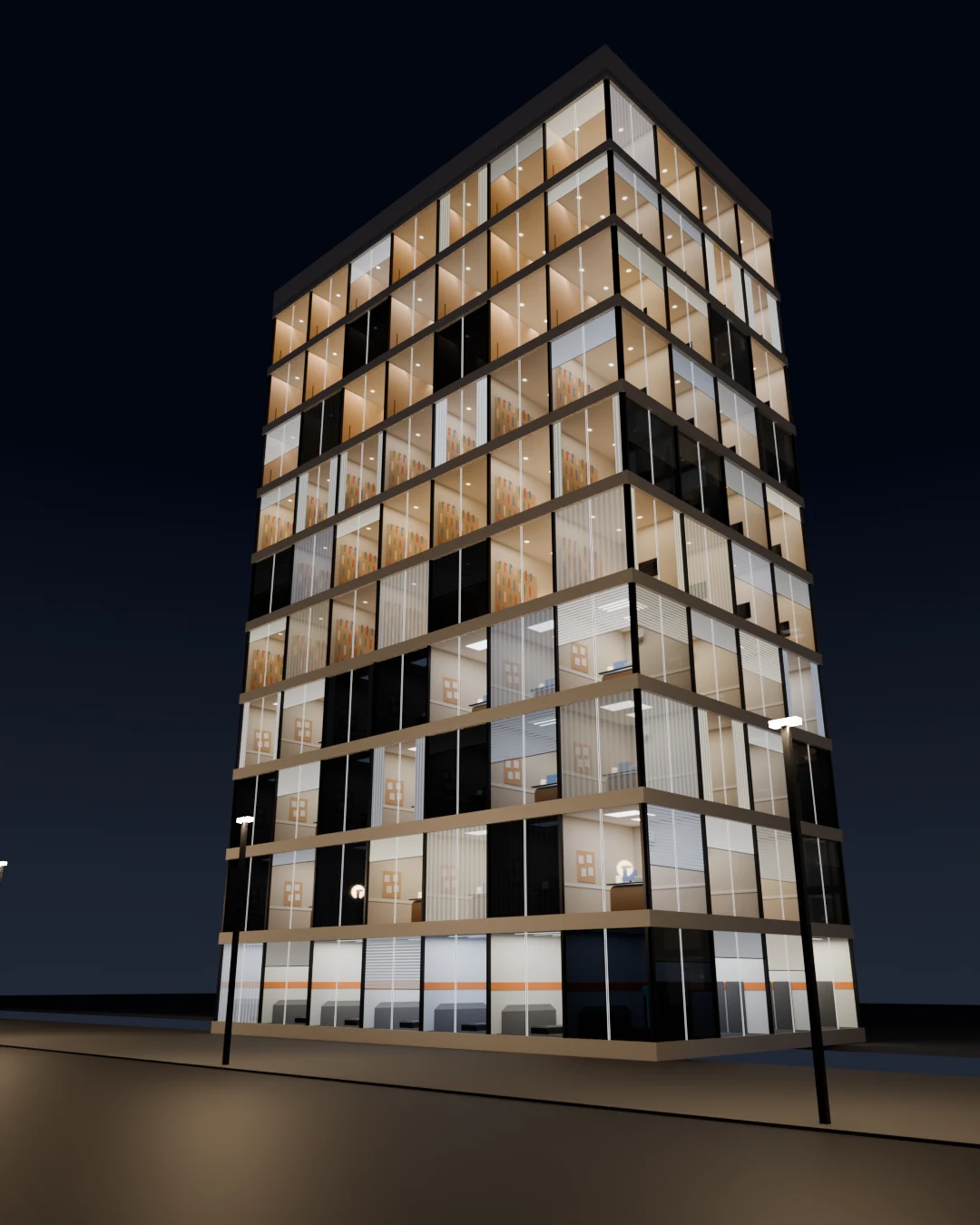
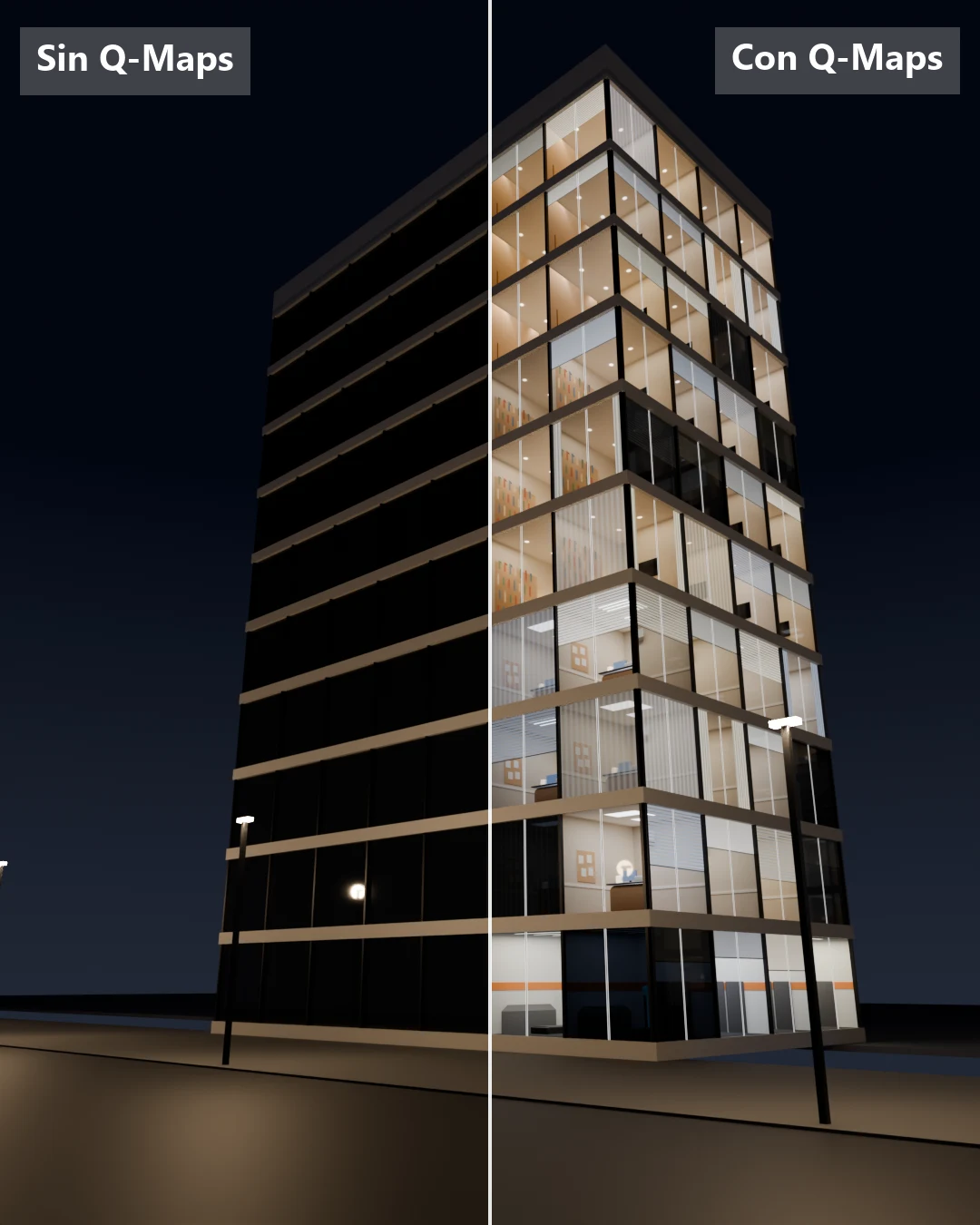
A 3.2 m box, window, collections, review camera and guides. Four examples to study: hotel, living room, office and gym.
It detects furniture hiding other furniture, pieces that are too thin, objects outside the box and rooms without lights.
Lights on or off, intensity and tint, curtains and blinds. Every window looks different with the same material.
Put several of your rooms into one material and each window picks one at random.
A folder with an installer: close Unreal, drag your project onto the file and the material is created.
Every time you generate, a new version is saved (v1, v2…), so you can compare and go back.
It uses whatever graphics card you have (NVIDIA, AMD, Intel or Apple). If there isn't one, it works with the processor. Times per room, generating Layers and Volume.
It's a Blender add-on. You install it from Preferences → Extensions and it appears in the 3D view sidebar (N key). All the work happens inside Blender.
No. You can use your Q-Maps in Blender only. If you work in Unreal, the add-on builds the folder ready to take them there.
Q-Maps brings ready-made rooms. Q-Maps Creator is the tool to make your own, with your furniture. You can combine both.
Yes. Bring your models into the scene and send them to their collection with one button. The furniture from the Q-Library works too.
Yes, with the processor. It takes longer: a draft takes 1 to 2 minutes instead of about 20 seconds.
It costs US$39, one-time payment. It's on pre-order: you buy it now and it's delivered on December 15, 2026 to your Quadremy account (My assets). If it's ready earlier, I'll let you know.
The add-on comes with a guide in English and Spanish, and every panel section has its own help. For questions, write to [email protected].
One-time payment. Delivered on December 15, 2026 to your Quadremy account, with its guide. 7-day guarantee.
Rather wait? Leave your email and I'll let you know when it's out.
 Google